

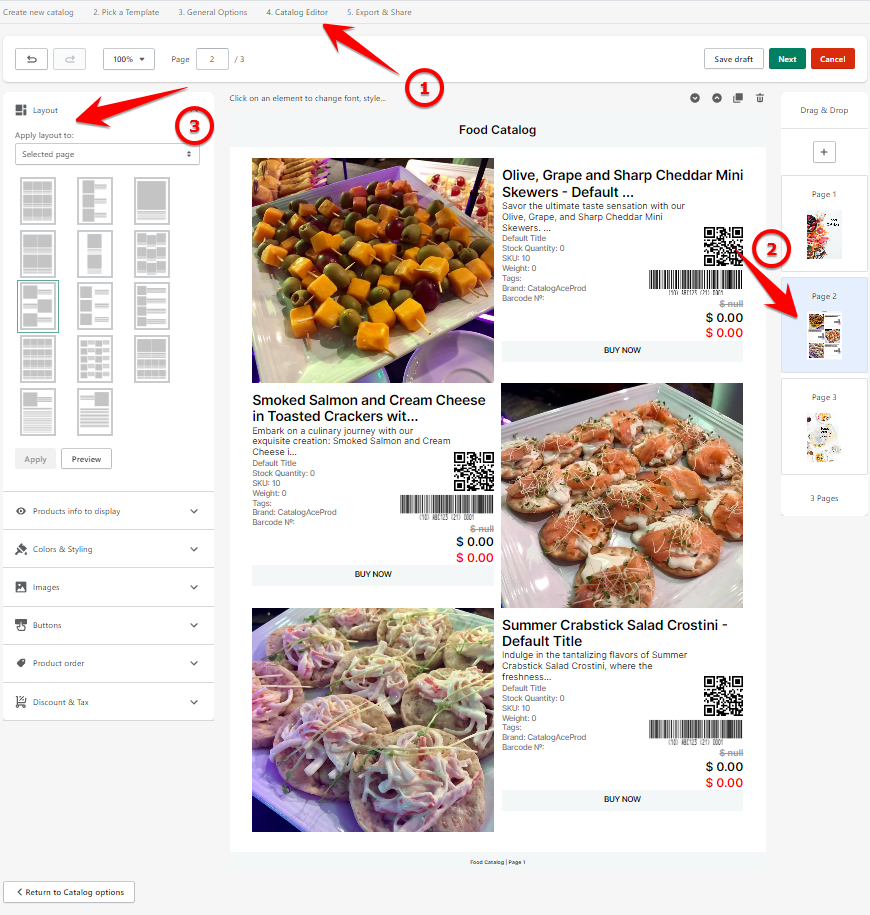
1. Navigate the Catalog Editor.
2. Go to your product page.
3. Go to the 'Layout' drop-down menu to choose your desired layout and then click 'Apply'.
Keywords:
Can I do a preview of the layout available?
Can I still edit my layout even after I already saved the catalog?