

Including products in your catalog that aren't available in your online store can sometimes confuse customers. Here's a guide on how to prevent this when using CatalogAce:
While creating the catalog, navigate to the "General Options" step.
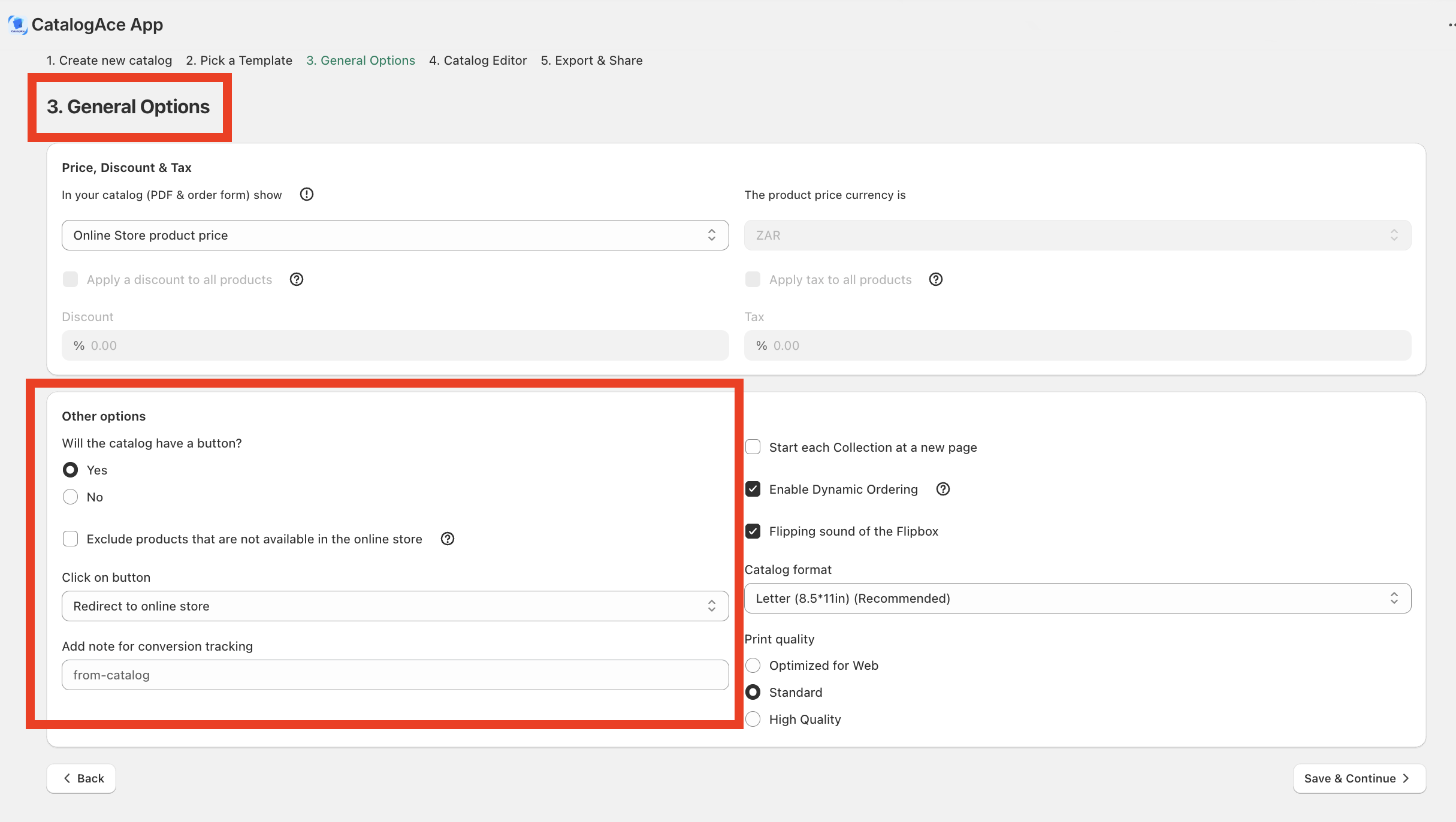
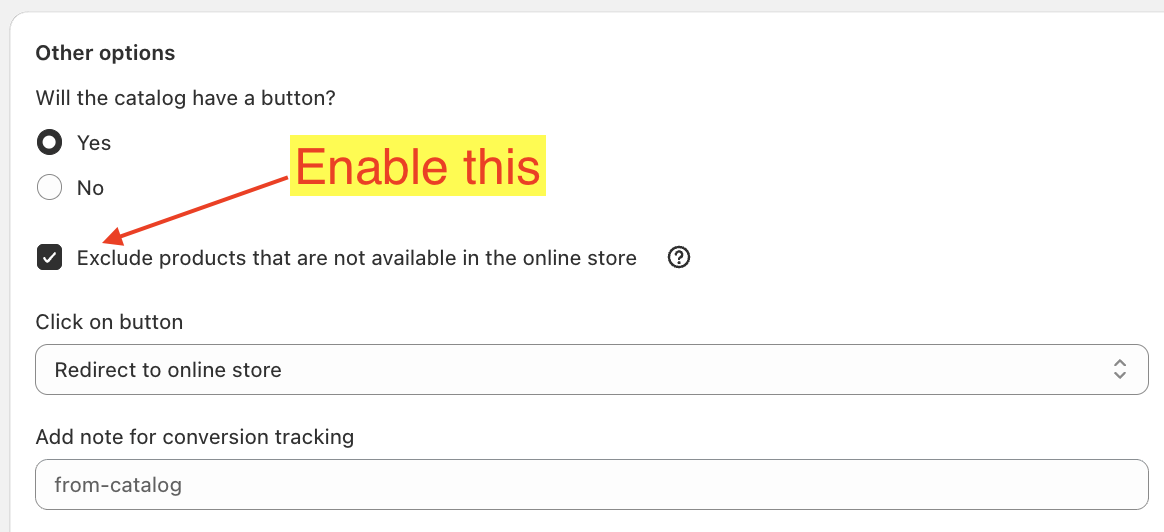
This option is only available if you choose to add buttons to your catalog. Enable the "Exclude products that are not available in the online store" checkbox.
When you proceed to the next step, which is the Catalog Editor, you will only see products that are in Active status.
Finally, proceed with creating your catalog as usual.