

Dynamic Ordering allows your customers to place orders while inside your catalog using the built-in cart.
Here's how you can set up your catalog to enable this feature:
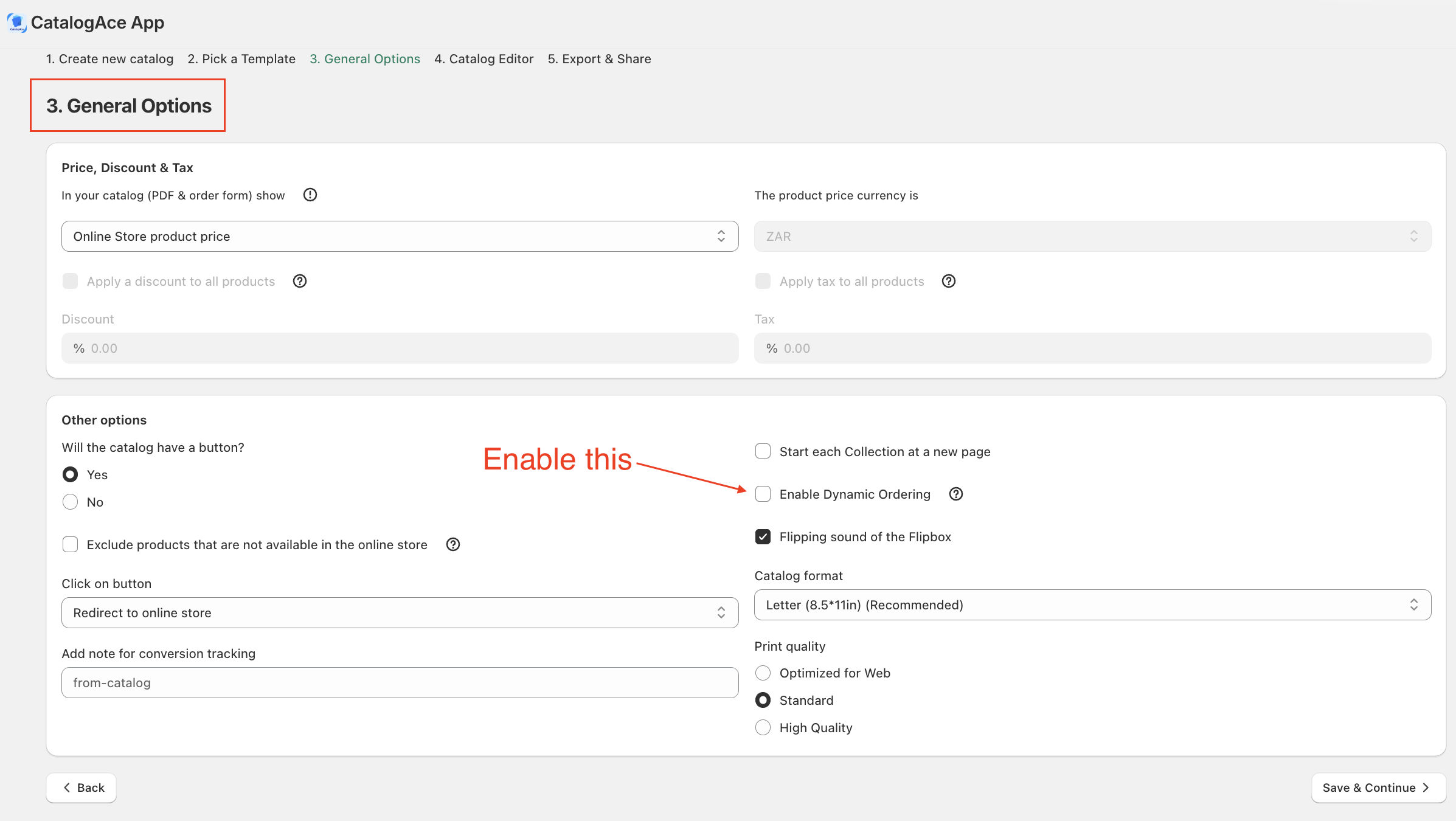
While creating the catalog, navigate to the "General Options" step.
Enable the "Enable Dynamic Ordering" checkbox.
Proceed with creating the catalog as normal.
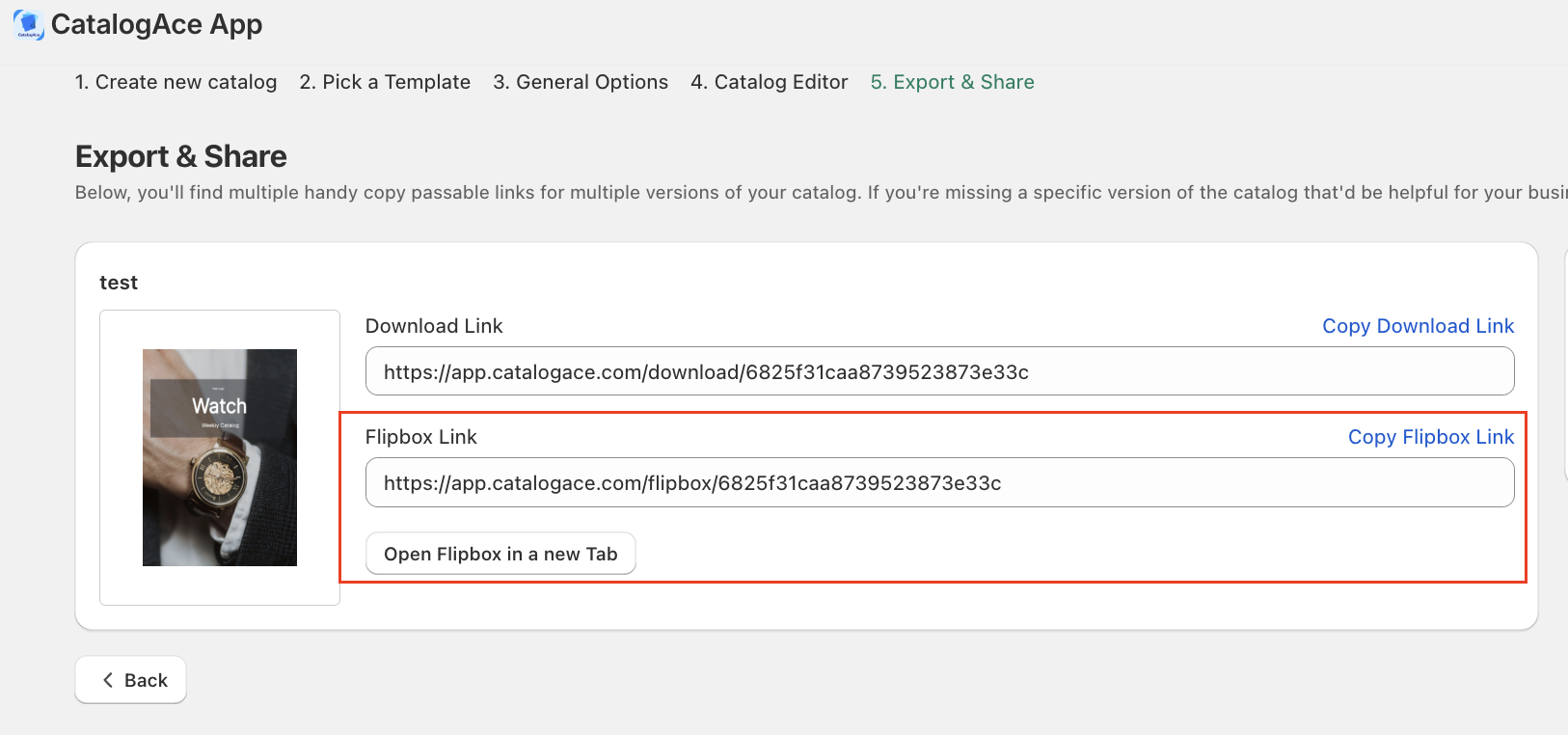
Once you have completed the catalog creation process, open the flipbox catalog.
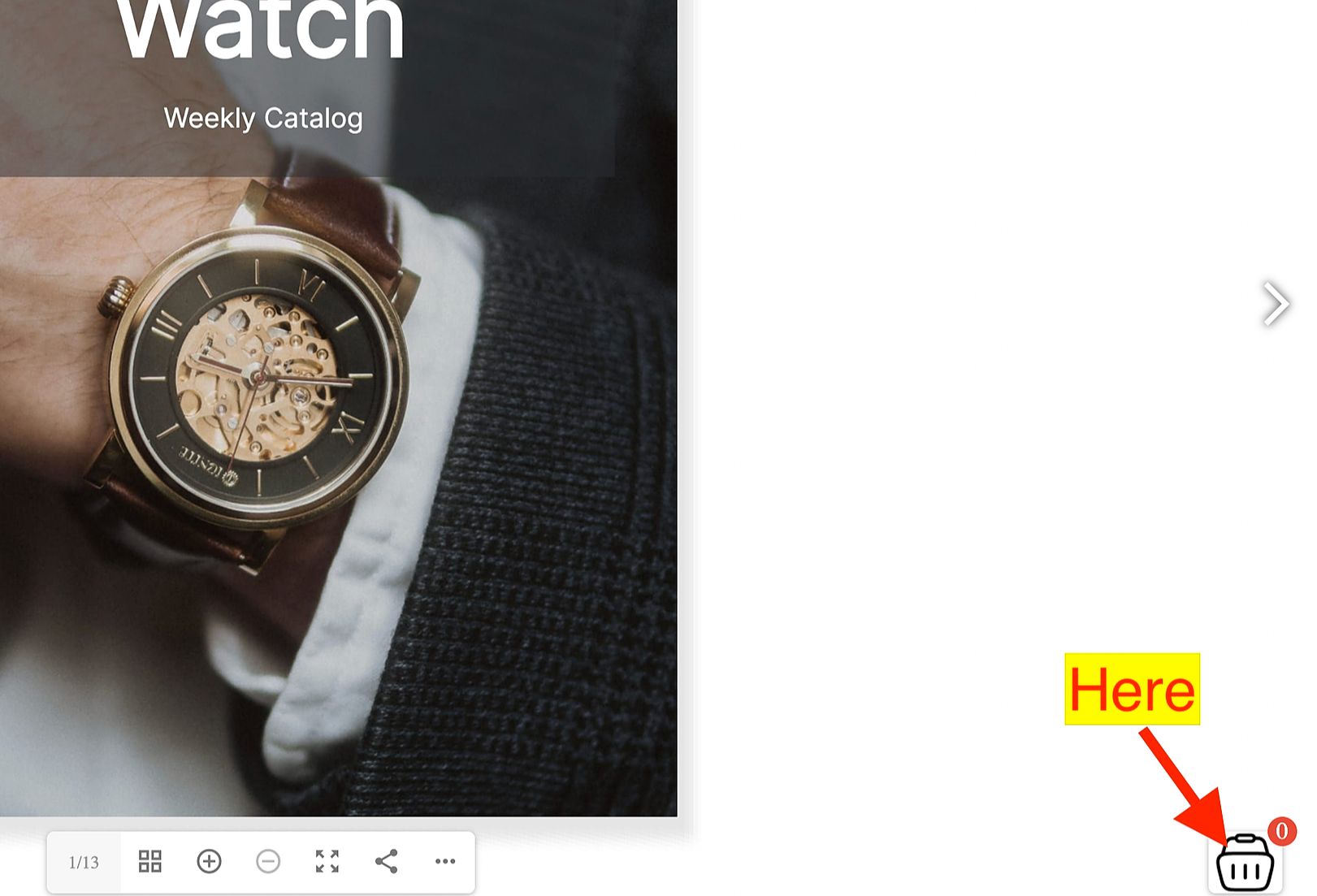
You should see a built-in cart at the bottom right corner of the catalog.
As long as your customer is using this flipbox catalog, the products will be added to the cart every time they click the "Buy now" button.
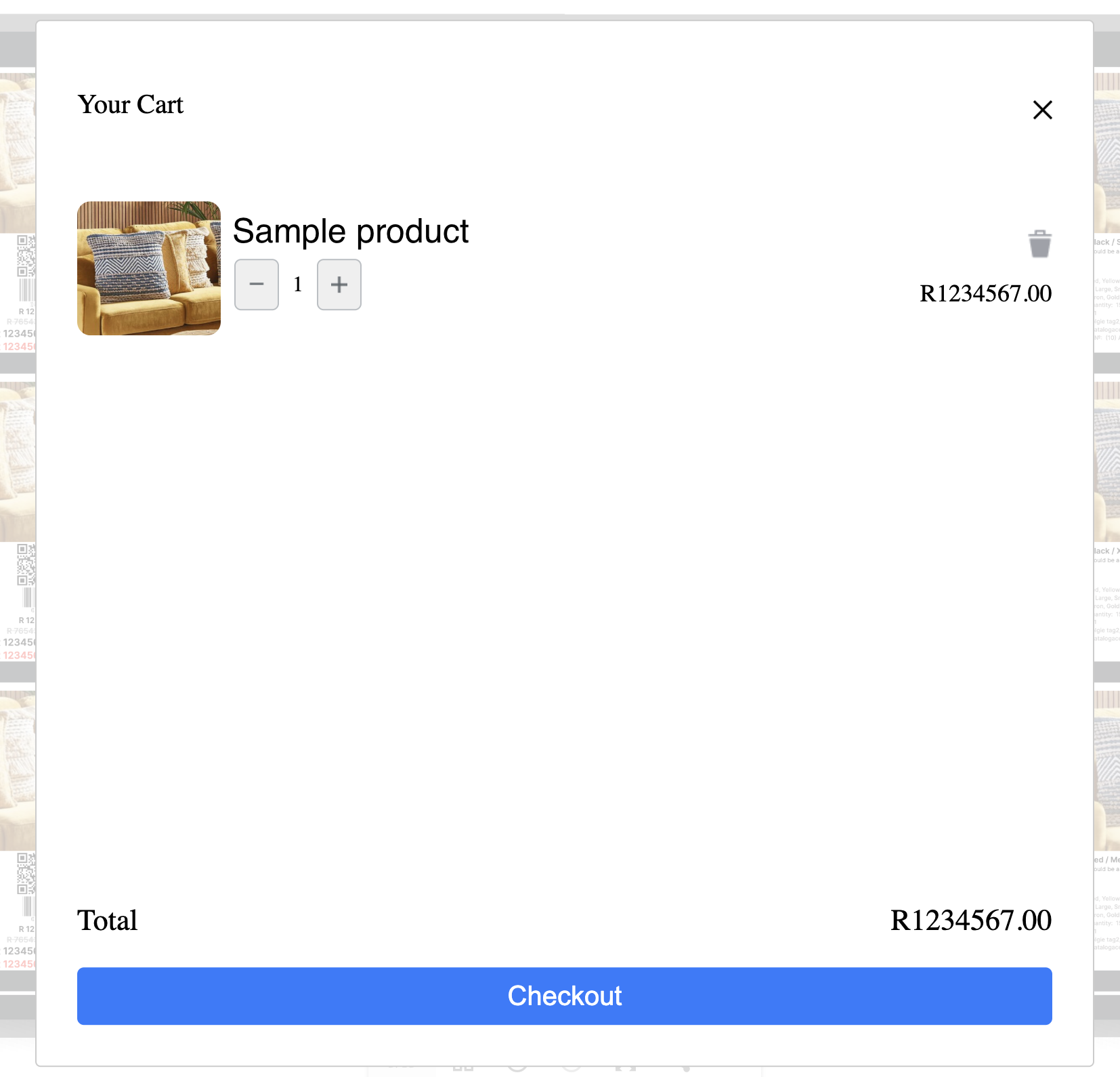
Your customers can add as many products as they want and then take them all to checkout at the same time.
Keywords:
Dynamic Ordering definition and benefits.
What is Dynamic Ordering?