

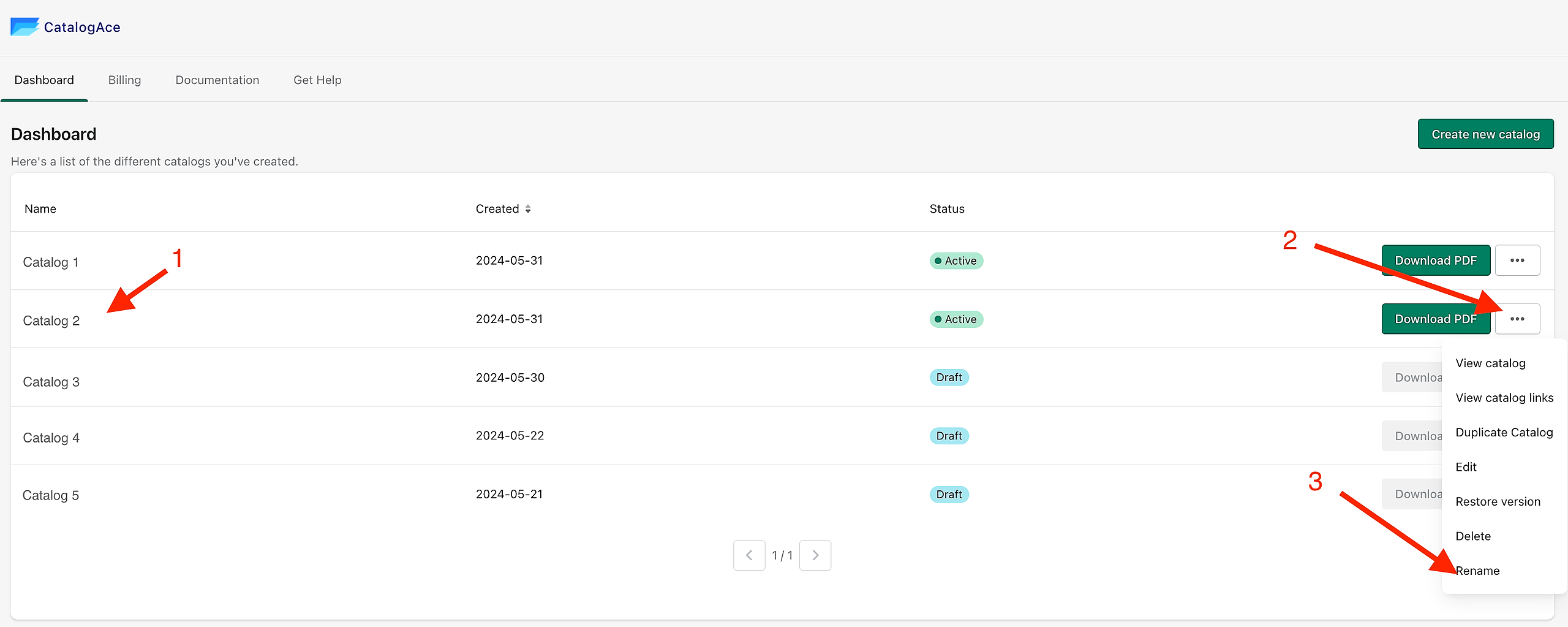
To rename a catalog, go to your Dashboard and pick the catalog that you want to rename.
Go to the three dots button, it will show a drop-down menu, then choose, 'Rename'.
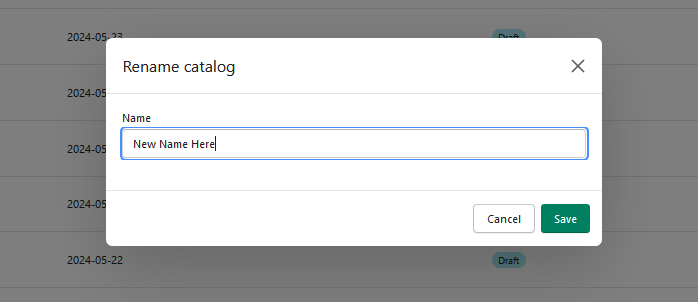
It will open a new window that will prompt you to input the new name you wish to rename your catalog to.
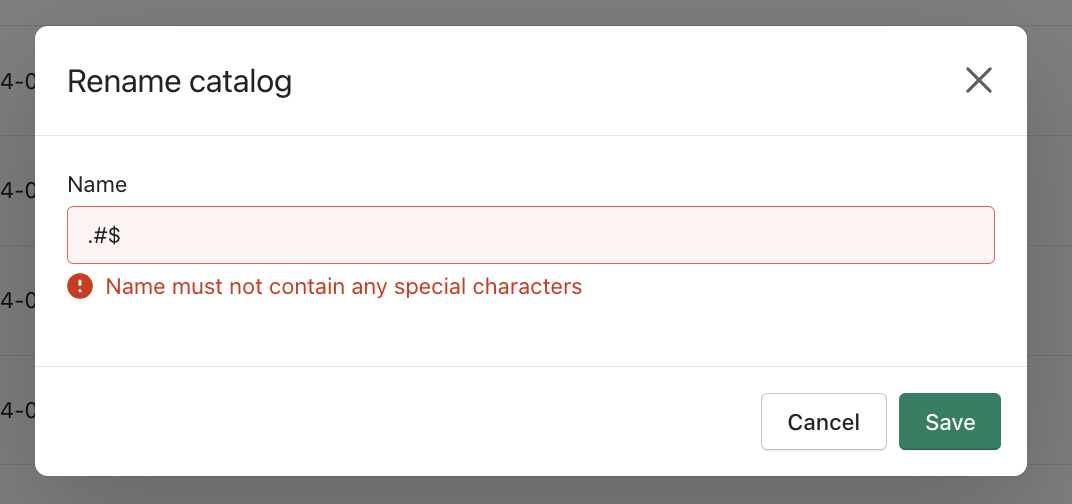
Note that the catalog name should not contain any special character.
Click "Save" and you are done!
Keywords:
How do I access the catalog I want to rename from the dashboard?
What steps are involved in renaming a catalog?